A worktree per task, ready before the agent starts
Branch from any base. lich copies your gitignored .env* files, reserves a dev-server port and runs .lich/setup-worktree.sh. Start from uncommitted work and it comes along.
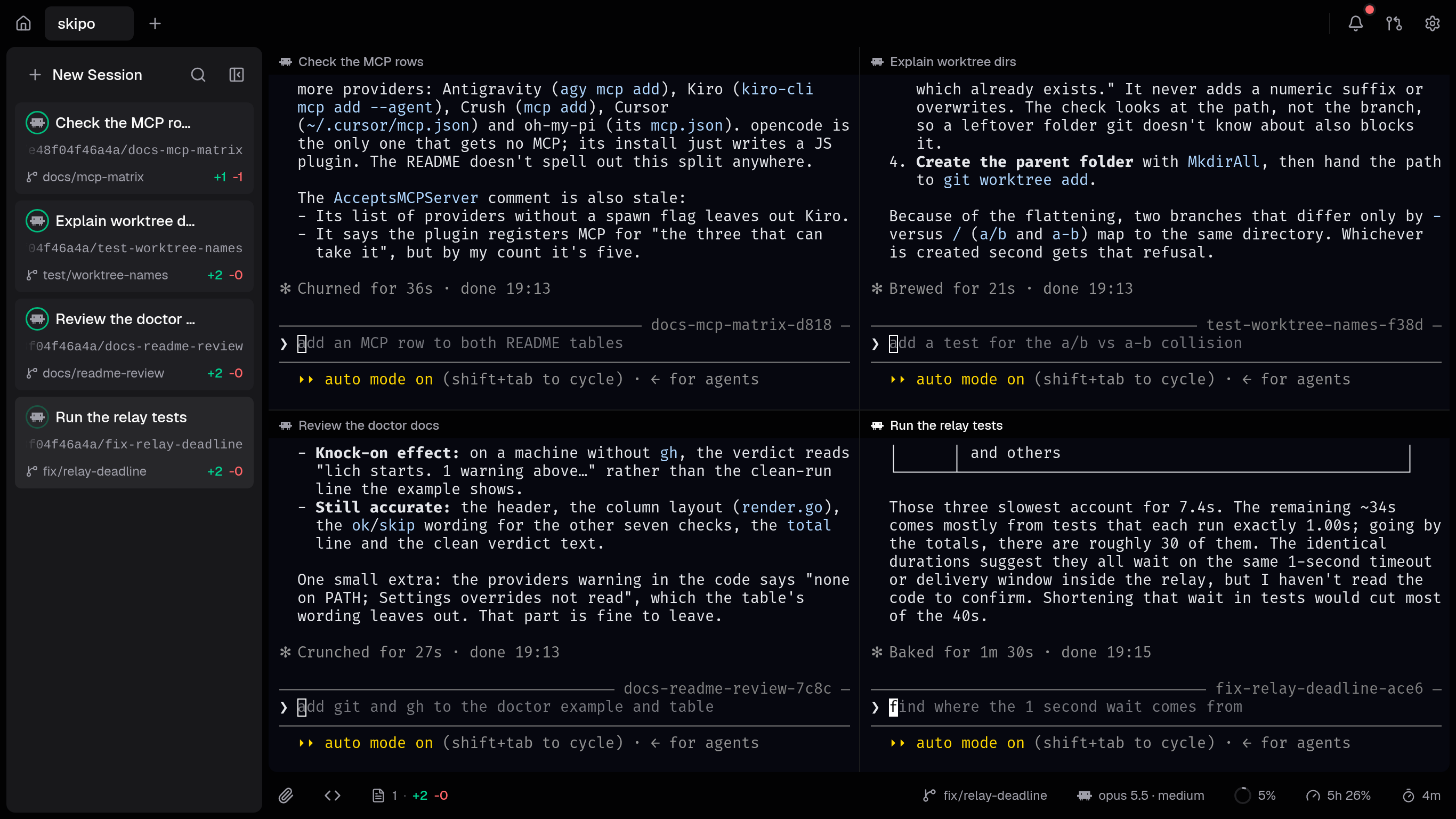
Run Claude Code, Codex and six more agent CLIs side by side, each in its own git worktree, with the diff and the pull request in the same window.
Linux, Windows and macOS · other ways to install
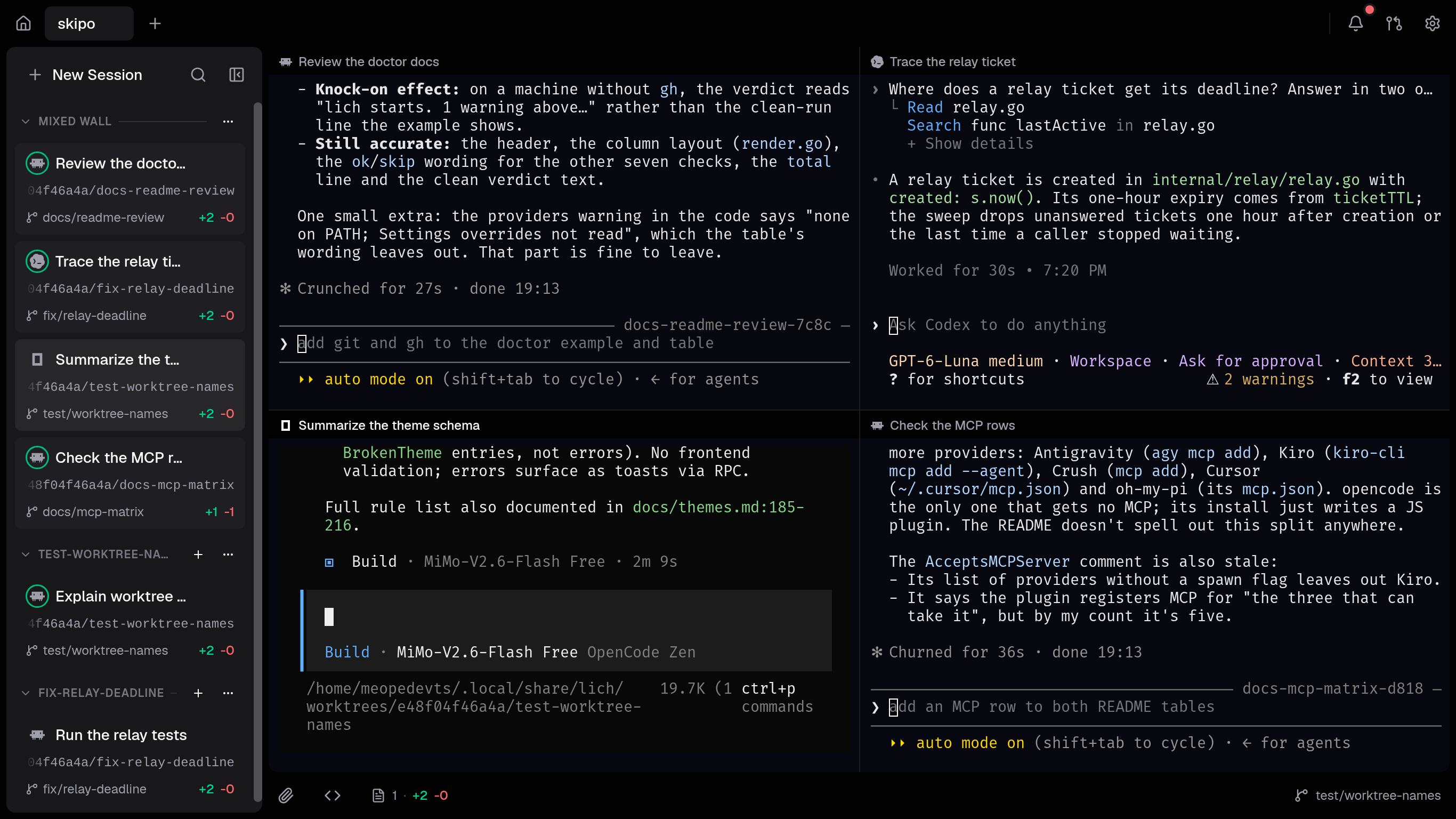
Claude Code next to Codex next to opencode. Each pane is the CLI as it ships, in a real terminal; the sidebar shows what each one is doing.
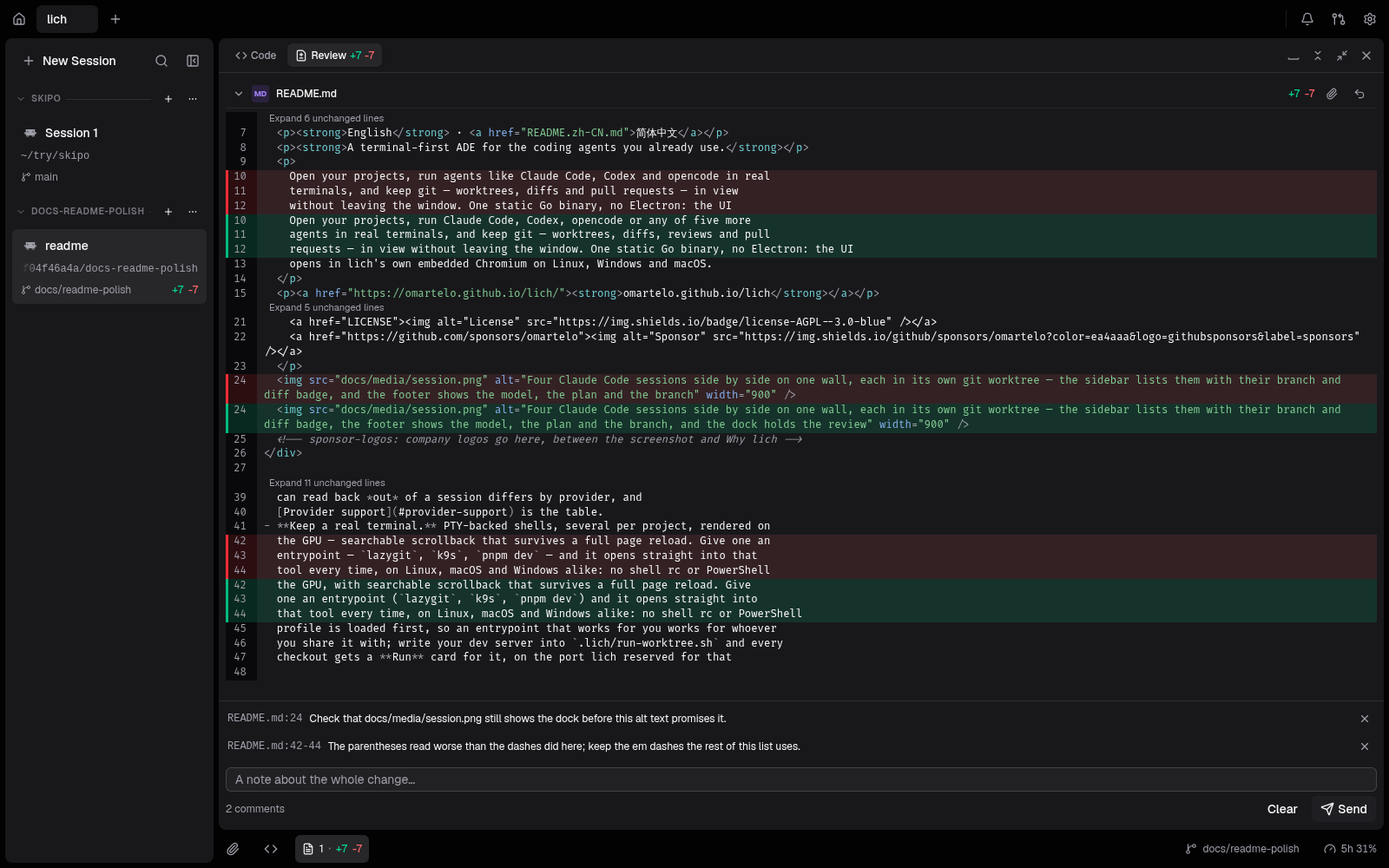
Read what the agent wrote, where it wrote it. Select lines, leave a comment, and the batch goes back to that session as one prompt you send yourself.
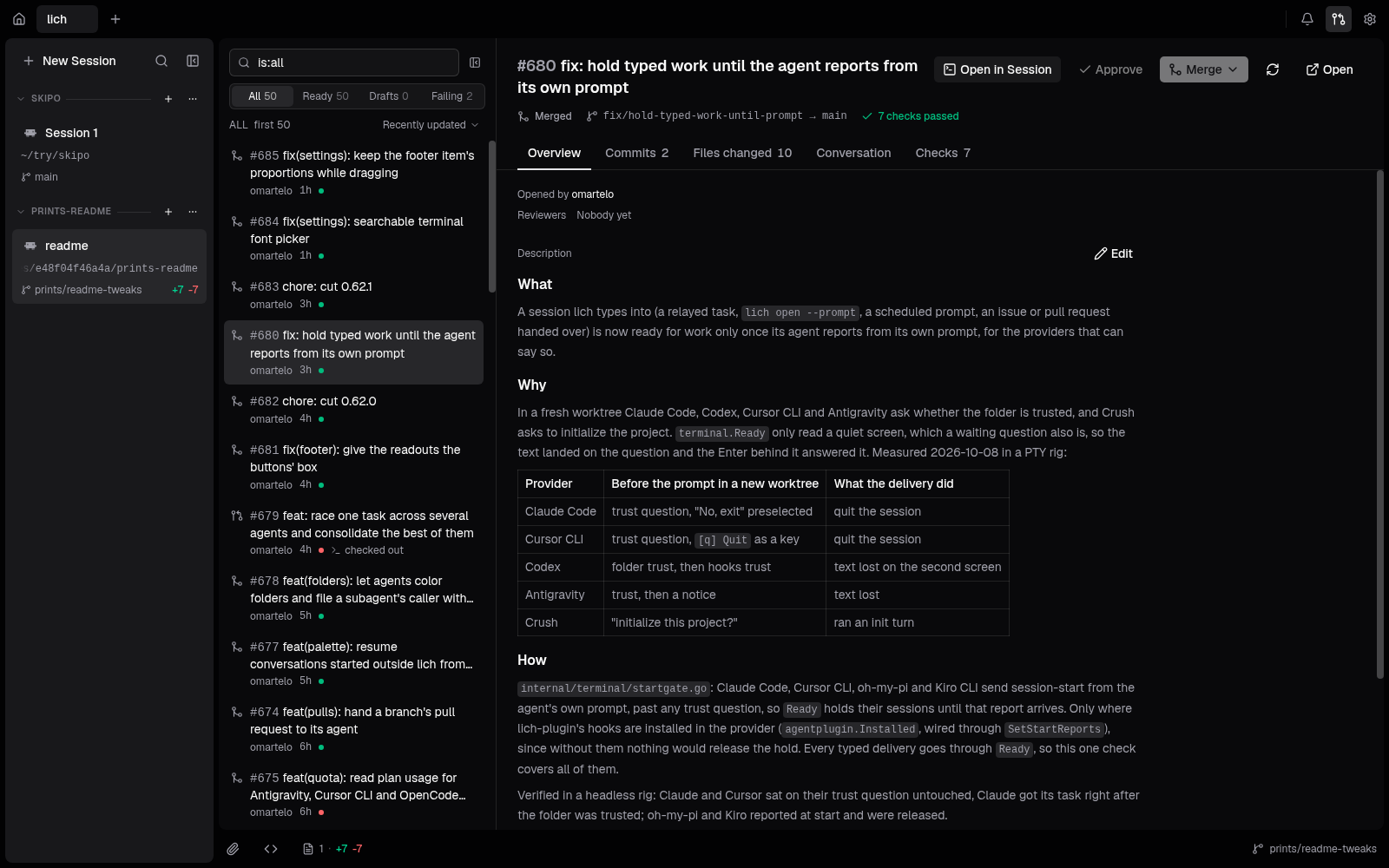
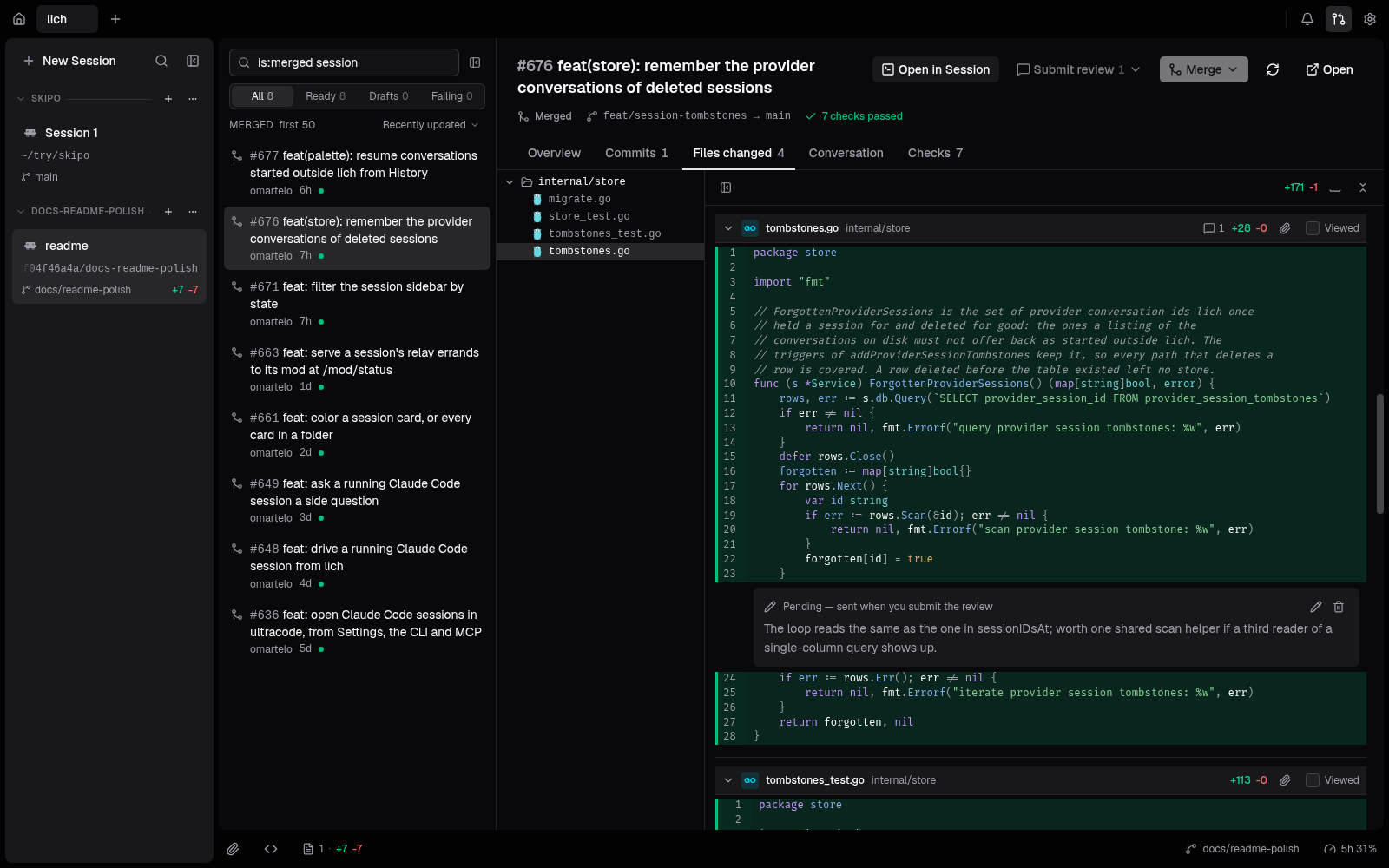
The repository's pull requests, filtered with GitHub's own qualifiers. Check one out into a worktree, review it inline and merge it with the methods the base branch allows.
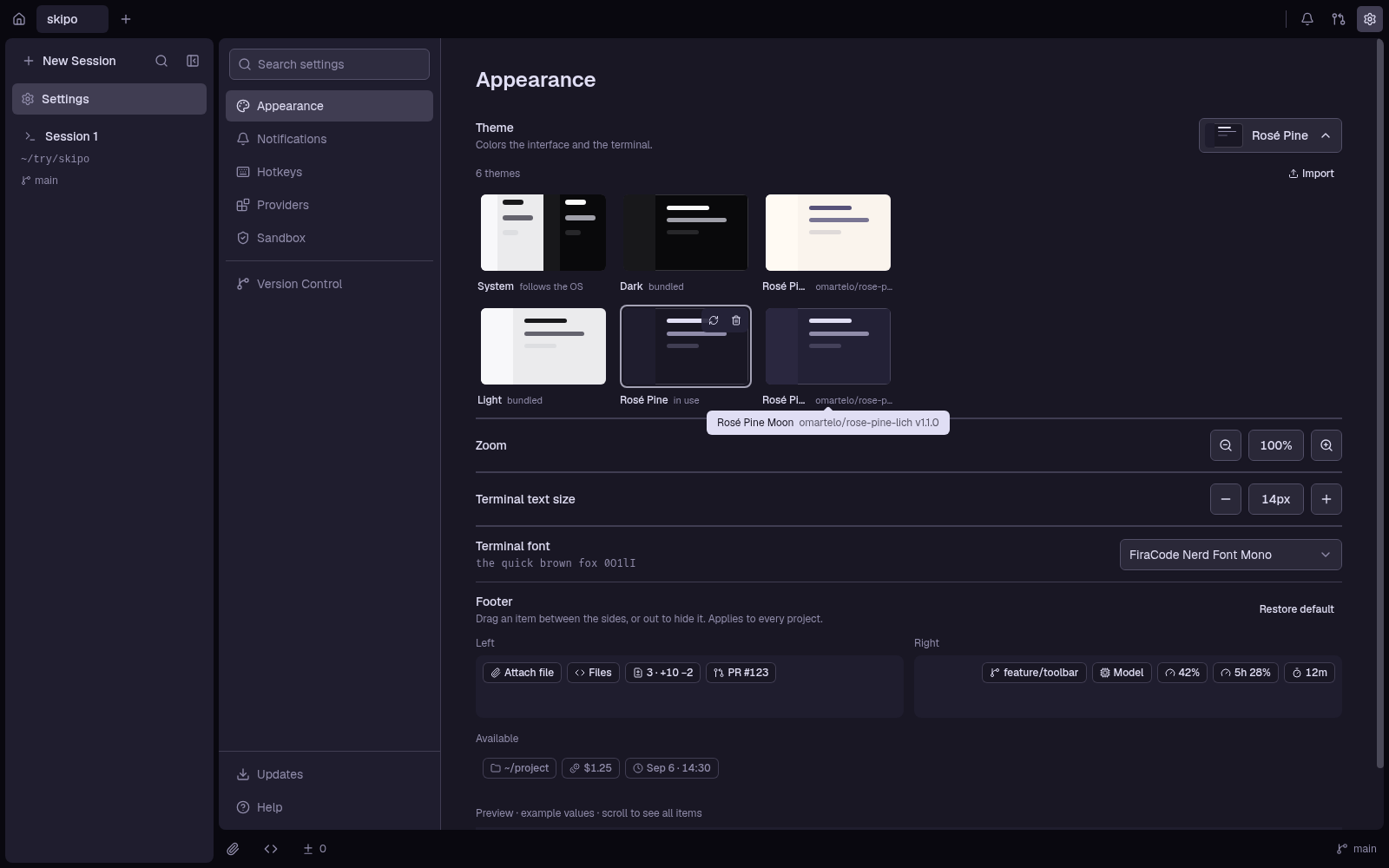
Themes are JSON. Import one, or install a pack from a git repository and update it when it moves.
lich finds them on your PATH and opens their terminal. Your login, your plan and your config stay theirs; lich has no account and no API key of its own.
claudecodexagyopencodeompcrushcursor-agentkiro-cliWhat lich reads back from each one (context, cost, plan usage, resume) is in the provider table.
Everything a session needs to start working, and everything you need to read what it did.
Branch from any base. lich copies your gitignored .env* files, reserves a dev-server port and runs .lich/setup-worktree.sh. Start from uncommitted work and it comes along.
Right-click a selection in the diff, write what is wrong, and send the batch to the session when you are ready.
Pending comments stay on your machine until you submit the review, then go to GitHub through gh.
The same lich command you type is how one session gives another a task and reads the answer back, or through 14 MCP tools.
$ lich send docs "document the new --base flag"
Added --base under lich open, with the rule
for a branch that already exists.
$ lich sessions
auth-fix  lich  codex   busy
docs      lich  claude  done
Every color is a theme token. Import a JSON file or install a pack from git.
An agent can start in an OS sandbox with a fresh home, the rest of the machine read-only and only its checkout writable. bubblewrap on Linux, sandbox-exec on macOS. It is not a boundary against hostile code.
Ctrl/Cmd+K jumps to a session by name or by what was said in it, and resumes conversations you started outside lich. A desktop notification tells you when one is waiting on you.
Then open a project and pick an agent. git on your PATH; gh only for pull requests.
curl -fsSL https://raw.githubusercontent.com/lichdotdev/lich/main/install.sh | sh
Picks the .deb, .rpm or .pkg.tar.zst for your distribution and checks it against checksums.txt. On Arch: yay -S lich-bin. Needs glibc 2.34+ and zenity.
brew install --cask lichdotdev/tap/lich
Through Homebrew; brew upgrade takes the next release.
scoop install https://github.com/lichdotdev/lich/releases/latest/download/lich.json
Or the installer from Releases, which updates itself in place.
The tarball, the portable zip and the checksum steps are in INSTALL.md.